APAAR ID Download Process, Login, Certificate, Verify
Through this guide you can download your APAAR ID logging into the portal, obtaining certificates, and verify your academic credentials. All student in India the digital identity become mandatory this process is easy.
How to Download Your APAAR ID Card?
You can download your card through the DigiLocker Portalonce your APAAR ID is issued:
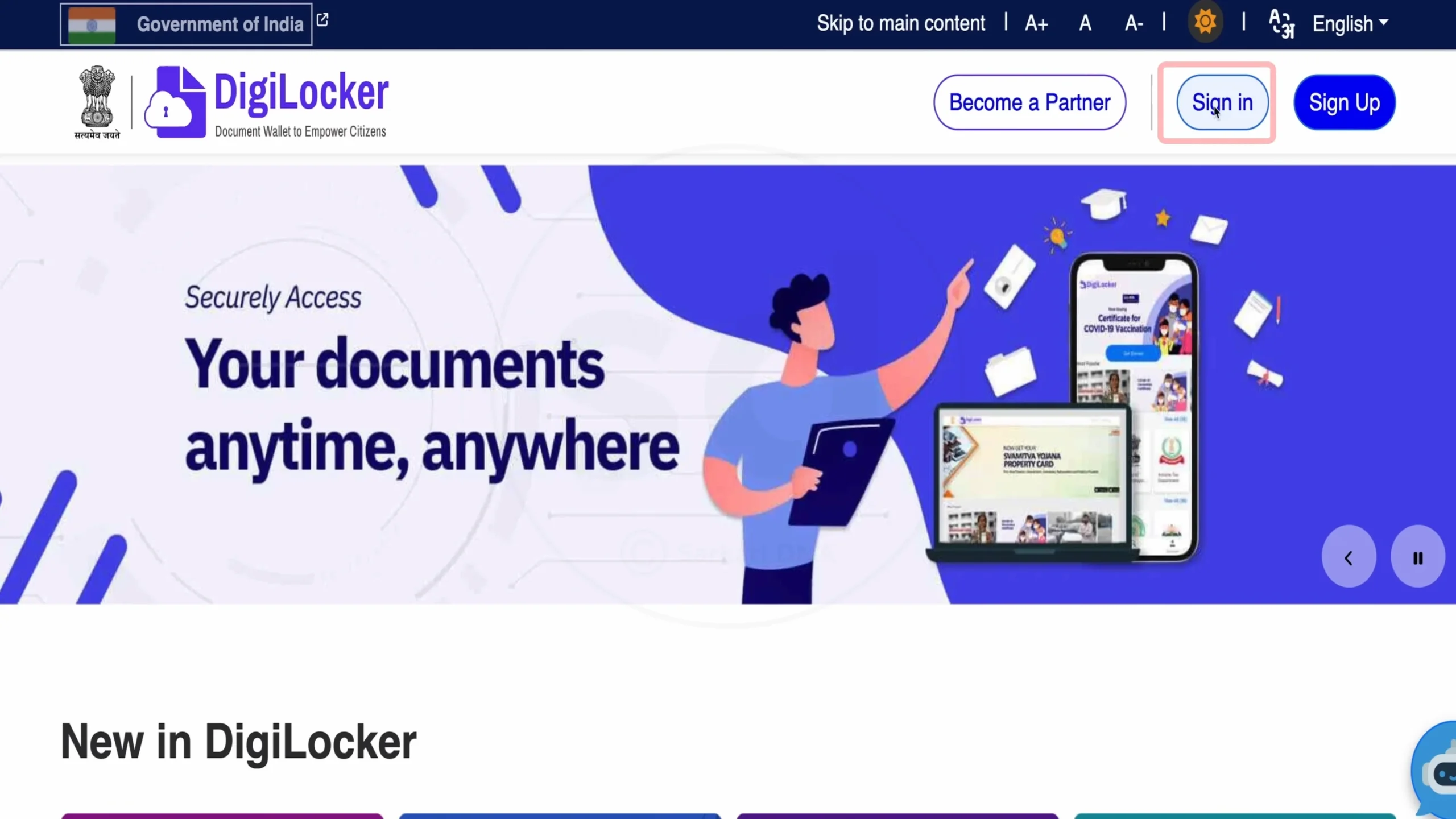
- Go to DigiLocker official website (digilocker.gov.in).
- Click on “Sign In”.
- Enter your Mobile Number and verify with 6-digit OTP.
- Add your 6-digit security PIN.
- In your DigiLocker dashboard, click on “Issued Documents”.
- Find APAAR ID card (under Academic Bank of Credit).
- Click to open and check your card.
- Click on download and save it.
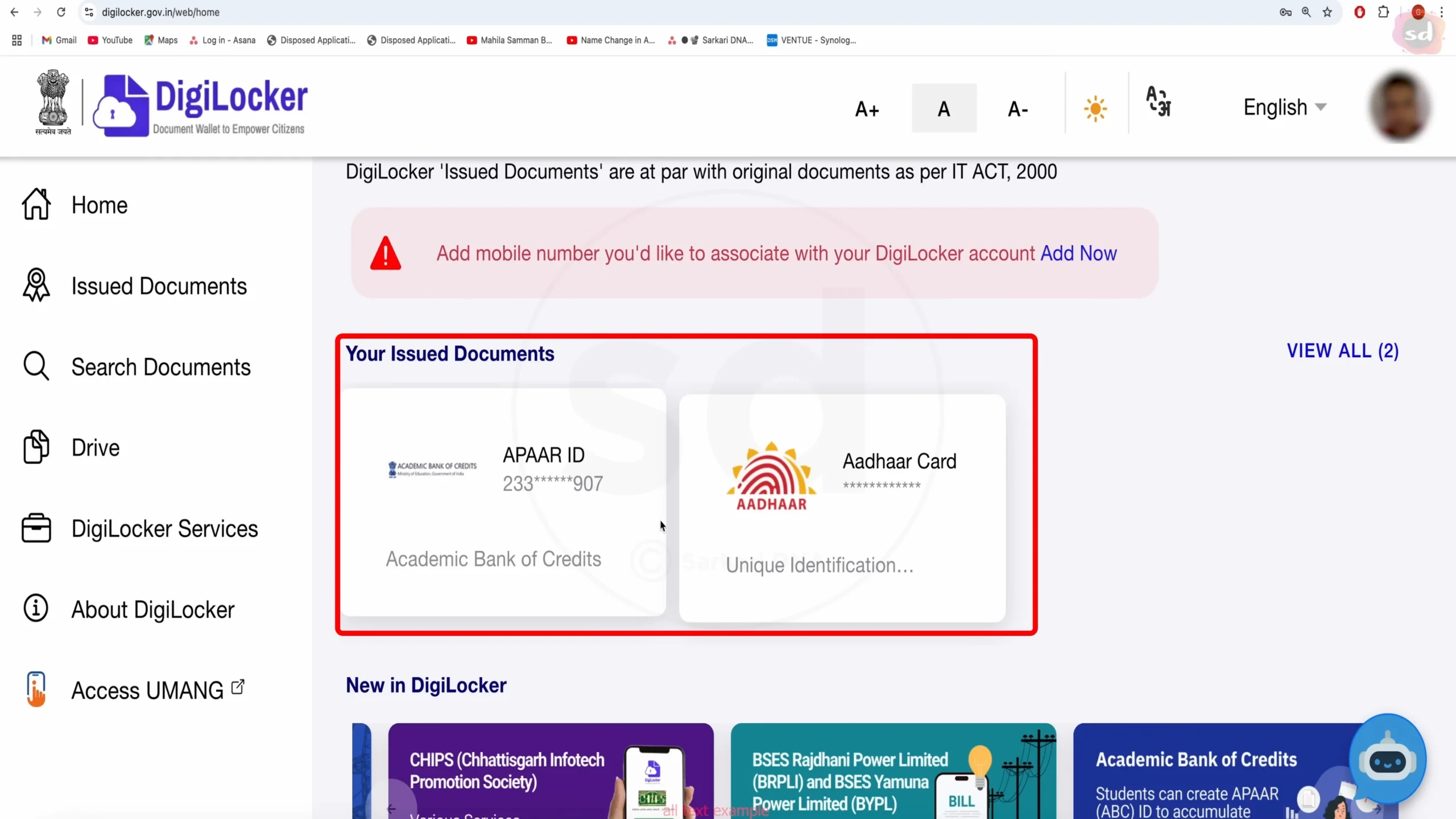
If you not find APAAR ID card in issued documents, click on search bar and type “Academic Bank of Credit” to find it.
How to Login to the APAAR Portal?
Access the APAAR account and update your academic profile by following these steps:
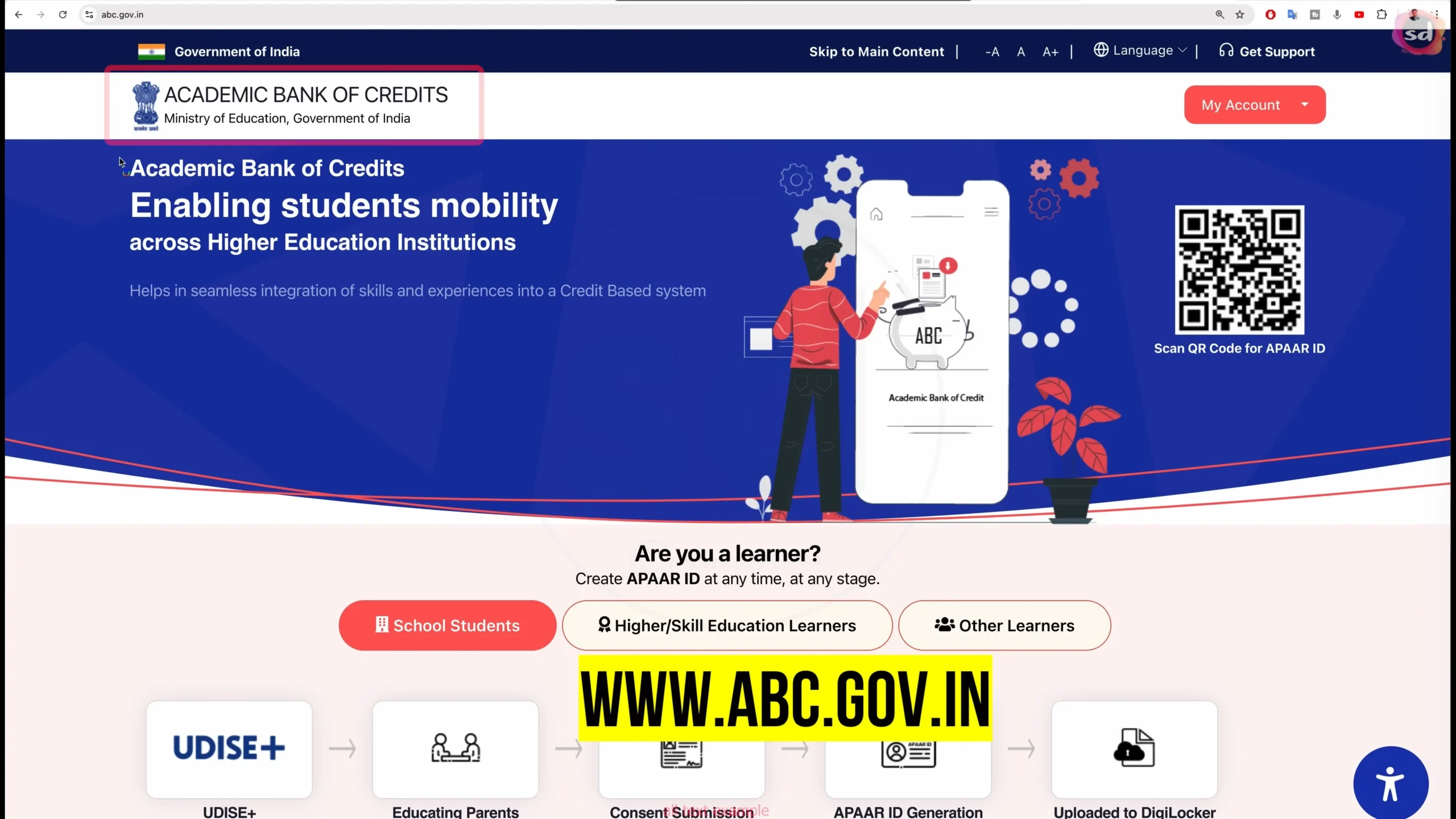
- Go to official Academic Bank of Credit portal (abc.gov.in).
- Click on “My Account” and select the “Student”.
- You can see three login option. Select one:
- Mobile Number
- Username
- Other
- Enter the required information and click on “Sign In”.
- If use mobile number verify the OTP.
- Add your security PIN and you’ll redirect to your APAAR dashboard.
How to Apply for Your APAAR ID Certificate?
APAAR ID is a proof of your academic identity. Here’s how to apply:
For College Students
- Login to your APAAR account and click on dashboard.
- Go to “Certificate” section and click on “Apply for Certificate”.
- Verify your information and click on submit.
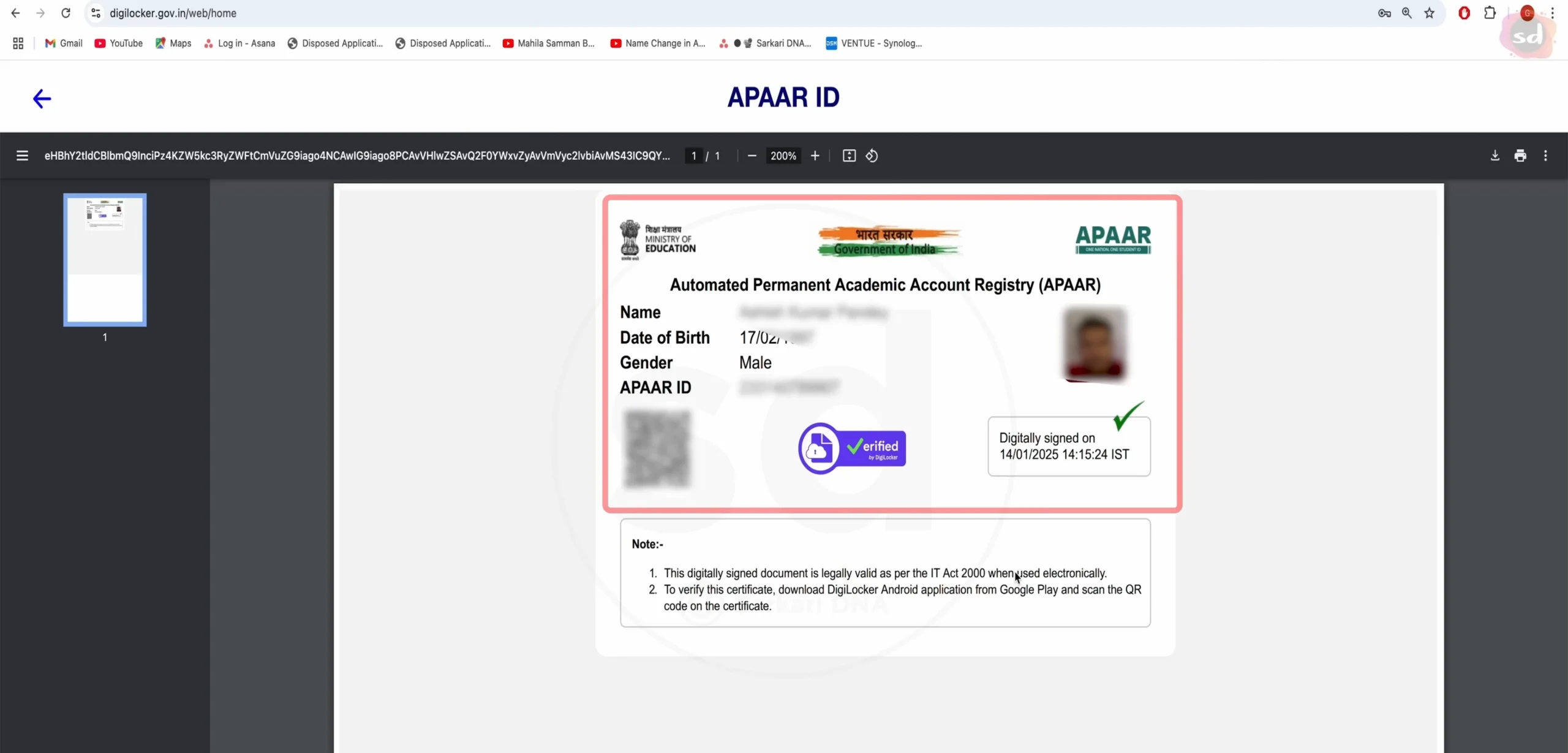
- Your certificate is generated and download now.
For School Students
- Through the UDISE Plus portal your school has submitted your information.
- Once the process is complete, you’ll receive SMS.
- Use mobile number and login to DigiLocker.
- In issued document, download your APAAR ID certificate.
Your APAAR ID contain your unique ID number, QR code, and other information.
How to Verify Your APAAR ID?
In APAAR system verification is important and allow to confirm your academic credentials:
Self-Verification:
- Login to your APAAR account.
- Go to the “Verify” section.
- Enter your APAAR ID number.
- Click on “Verify ID”.
- The system will display your basic details to confirm authenticity.
Third-Party Verification:
- The verifying institution will access the verification portal.
- They enter your APAAR ID number.
- To confirm your identity system displayed limited information.
- You can provide consent for detailed verification.
Manage your APAAR Profile
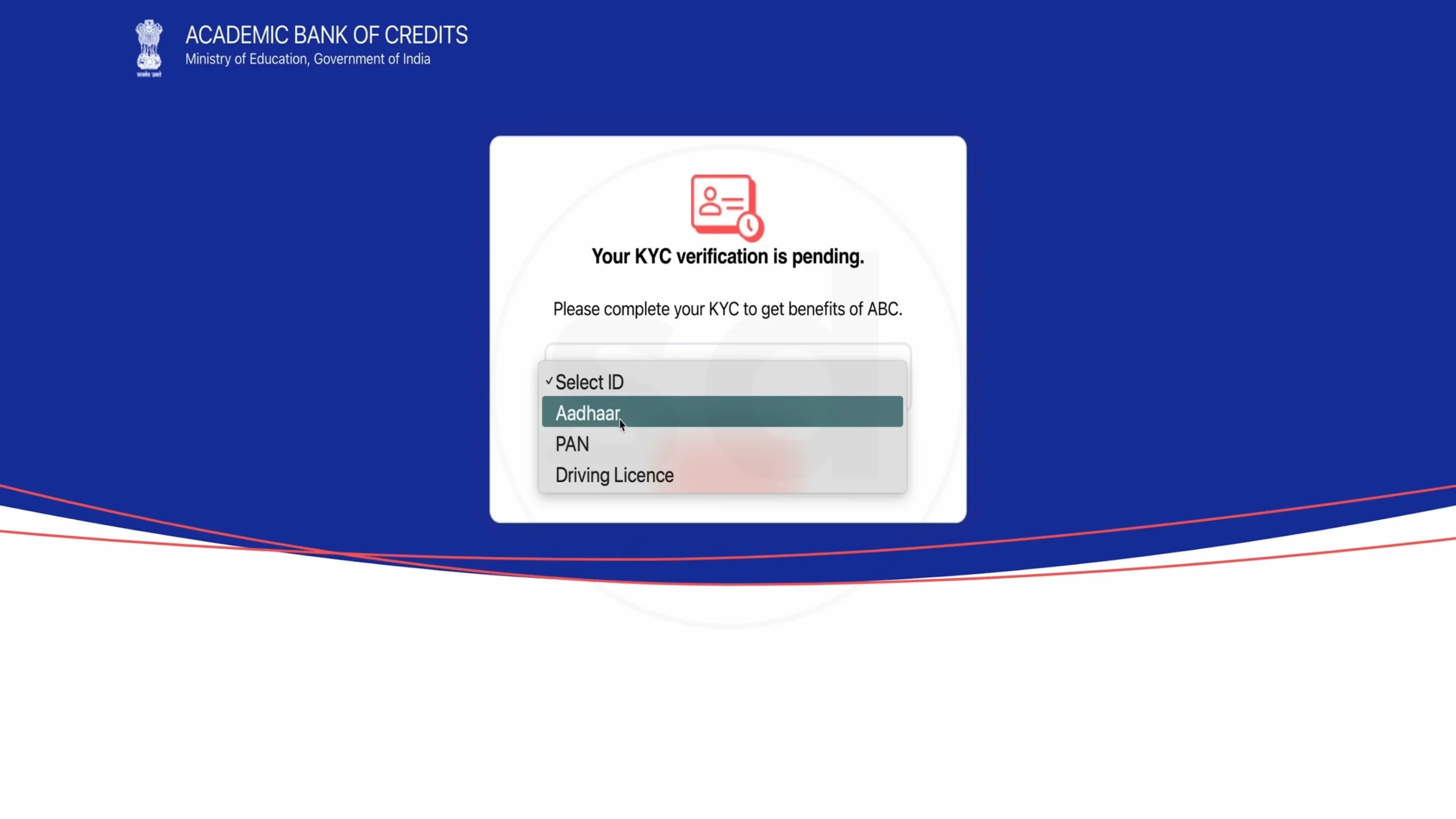
- Login to your APAAR account.
- Check your personal information and academic information.
- Click on “Update Profile” option to change anything.
- Update your Aadhaar if you changes (like name or date of birth).
- Update Aadhaar details APAAR profile automatic updates.
Troubleshooting Common APAAR ID Issues
If you’re facing problems with your APAAR ID, here are some quick fixes to help you resolve the most common issues:
Login Problems
- Forgotten PIN: Click on “Forgot PIN” and verify your identity using your date of birth.
- OTP Not Received: Check your mobile network connection and try again after a few minutes.
- Account Locked: Wait for 30 minutes before attempting to log in again.
Download Issues
- Card Not Visible in DigiLocker: Search for “Academic Bank of Credit” within DigiLocker to locate your APAAR card.
- Download Failing: Ensure you have a stable internet connection or try downloading using a different browser.
- Low-Quality Print: Choose the high-resolution version of your APAAR card for better print quality.
Verification Problems
- Verification Timeout: Try completing the verification process during non-peak hours.
- Incorrect Details: Update your personal information through the KYC verification process.
- Card Showing “Invalid”: Contact the APAAR Helpdesk for support.
Conclusion
Your APAAR ID provide a digital identity throughout your educational journey in India. Through this online process you can download, logging in, obtaining certificates and verification. You can update your information, secure your account and easy access to your academic records.
Important Links
| Purpose | Link |
| APAAR ID Portal | abc.gov.in |
| DigiLocker | digilocker.gov.in |
| UDISE Plus Portal | udiseplus.gov.in |
| Helpdesk | support.abc.gov.in |